
DivineMC
Fork of Purpur compatible with Spigot plugins, offering the best performance for your server.
[](https://github.com/DivineMC/DivineMC/actions)
[](https://discord.gg/p7cxhw7E2M)
[](https://github.com/DivineMC/DivineMC/releases/latest)
## ⚙️ Features
- **Based on [Purpur](https://github.com/PurpurMC/Purpur)** - Purpur is a fork of Paper with new fun and exciting gameplay features, and performance boost.
- **Popular mods implemented** - Patches from mods such as Lithium, VMP, C2ME and others.
- **Async Pathfinding** - Makes pathfinding-related work happen asynchronously (by [Petal](https://github.com/Bloom-host/Petal)).
- **[Linear region format](https://github.com/xymb-endcrystalme/LinearRegionFileFormatTools)** - Linear region format saves about 50% of disk space in Overworld and Nether and 95% in The End.
- **Secure Seed** - A feature that changes default 64-bit seed to a 1024-bit seed, making it almost impossible to crack the seed.
- **Configurable chat reports** - Disallow players from reporting others messages to Mojang.
- **Optimized Default Configuration** - The default configuration files is optimized.
- **Bug fixes** - Fixed Minecraft bugs that reported on Mojira.
- ... and more!
## ⬇️ Downloads
In normal case, you can download the latest JAR file from releases tab [here](https://github.com/DivineMC/DivineMC/releases/latest)
**Please note:** Java >= 21 is required.
## ⚖️ License
Patches are licensed under GPL-3.0.
All other files are licensed under MIT.
## 📈 bStats
[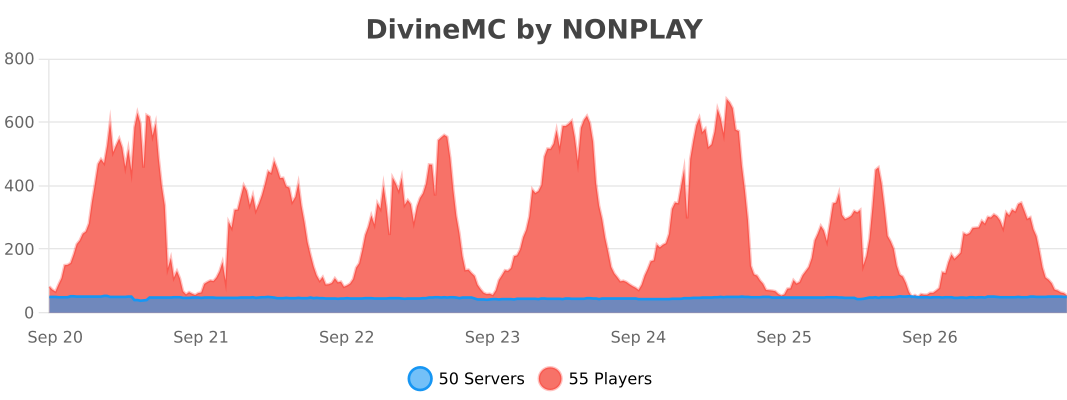](https://bstats.org/plugin/server-implementation/DivineMC)
## API
### [Javadoc](https://repo.bx-team.space/javadoc/snapshots/space/bxteam/divinemc/divinemc-api/1.21-R0.1-SNAPSHOT)
### Dependency Information
#### Maven
```xml
bx-team
https://repo.bx-team.space/snapshots
```
```xml
space.bxteam.divinemc
divinemc-api
1.21-R0.1-SNAPSHOT
provided
```
#### Gradle
```groovy
repositories {
maven("https://repo.bx-team.space/snapshots")
}
```
```groovy
dependencies {
compileOnly("space.bxteam.divinemc:divinemc-api:1.21-R0.1-SNAPSHOT")
}
```
## 📦 Building and setting up
### Initial setup
First, clone this repository (do not download it) and the run the following command in the root directory:
```bash
./gradlew applyPatches
```
After that, project is ready to use and editing it.
### Creating a patch
Patches are effectively just commits in either `DivineMC-API` or `DivineMC-Server`. To create one, just add a commit to either repo and run `./gradlew rebuildPatches`, and a patch will be placed in the patches folder. Modifying commits will also modify its corresponding patch file.
Read our [documentation](https://divinemc.bx-team.space/docs/dev/contributing) to learn more about patches
### Compiling
Use the command `./gradlew build` to build the API and server. Compiled JARs will be placed under `DivineMC-API/build/libs` and `DivineMC-Server/build/libs`. **These JARs are not used to start a server**.
To compile a server-ready paperclip jar, run `./gradlew createReobfPaperclipJar`. The compiled paperclip jar will be in `build/libs/` in the main root.
###### We don't steal logo from YatopiaMC! [List of all forks](https://gist.github.com/NONPLAYT/48742353af8ae36bcef5d1c36de9730a)